

Quick answer: A qr label area rests on four numbers: module edge, quiet zone, print resolution and curvature, where a 21 by 21 code at 0.9 mm ends up occupying 26.1 mm.
Table of contents
- Four Numbers Behind a QR Label Area
- Content Length Sets the Version
- How Many Dots a 0.9 mm Module Keeps
- Curvature and Edge Distance
- FAQ
1. Four Numbers Behind a QR Label Area
A qr label area is not a sticker size decision. Four numbers lock together: module edge sets how wide one black square prints, the quiet zone sets the blank border around the code, print resolution decides whether that square comes out square, and case curvature decides whether the code reaches the reader flat or foreshortened.
Start with the module. A 21 by 21 code inside a nominal 25 mm footprint is only 18.9 mm across, which puts the module at 0.9 mm. The rest is quiet zone, four modules per side, 3.6 mm, so the true footprint is 26.1 mm. That 1.1 mm gap is the strip people forget to reserve.
Losing it is how labels fail. A latch seat, rib groove or die-cut line clips one corner, the reader drops the finder patterns first and reports no read rather than a short quiet zone.
So the first number is not an area but 26.1 mm of occupied edge. A 40 mm by 30 mm label protects it with 8.7 mm side margins and 3.4 mm top and bottom, enough to absorb hand placement tolerance.
2. Content Length Sets the Version
Content length picks the version first. Each step adds four modules per side: V1 is 21 by 21, V2 25 by 25, V3 29 by 29, V4 33 by 33, carrying 17, 32, 53 and 78 bytes at level L.
In millimetres, with the module held at 0.9 mm, V1 occupies 18.9 mm of code and 26.1 mm with its quiet zone, while V4 occupies 29.7 mm and 36.9 mm. A serial line becomes a parameterised link for 10.8 mm of extra edge.
| Content length | Version | Where it fits |
|---|---|---|
| 12-digit serial, 17 bytes or less | V1, 21 by 21 | Narrow side strip, 26 mm footprint |
| 24-character short URL, 32 bytes | V2, 25 by 25 | Middle of the lid flat |
| 48-character parameter link, 53 bytes | V3, 29 by 29 | Lid centre, clear of rib grooves |
| 72-character structured text, 78 bytes | V4, 33 by 33 | Large recessed lid panel |
This is why the footprint is fixed before the mould is cut: a lid flat offers 60 mm by 40 mm, and V4 plus 8 mm of clearance needs 52.9 mm. Lengthen the content after tooling and the only lever left is a smaller module, which shortens reading distance at once.
Version drags error correction with it. At V3, raising correction from M to H cuts byte capacity from 42 to 24. Reserve at H level, print at M, and a later revision still fits.
3. How Many Dots a 0.9 mm Module Keeps
Resolution decides how square the module edge comes out. At 300 dpi there are 11.8 dots per millimetre, so 0.9 mm lands on 10.6 dots and a one-dot jitter covers 9.4% of the width, which sampling can correct. At 0.5 mm only 5.9 dots remain and the same jitter covers 17%.
| Print method | Resolution | Minimum usable module |
|---|---|---|
| Thermal transfer, resin | 300 dpi | 0.75 mm, 9 dots |
| Thermal transfer, wax | 203 dpi | 1.1 mm, 9 dots |
| Industrial inkjet to shell | 300 dpi | 0.8 mm, 9.5 dots |
| Laser marking on dark shell | 600 dpi | 0.4 mm, 9.5 dots |
Contrast is the second line. Matte film has to hold 40% or better before auto exposure has room to hold the shutter down. Inkjet straight onto a glossy shell lets a highlight band form, every module inside it reads white, and the code splits in two. Most often skipped when picking a face for the qr label area: the same code on matte film reads a grade better, for one lamination step and 0.1 mm of thickness.
A fine-textured shell can skip the film, provided the texture stays under 0.05 mm and the grain is finer than a tenth of a module. Coarser than 0.1 mm and thresholding splits one module in half.
4. Curvature and Edge Distance
Every moulded face carries 1 to 2 degrees of draft, corners rounded at R6 to R10 and shallow rib grooves outside. The qr label area needs continuous surface clear of all three.
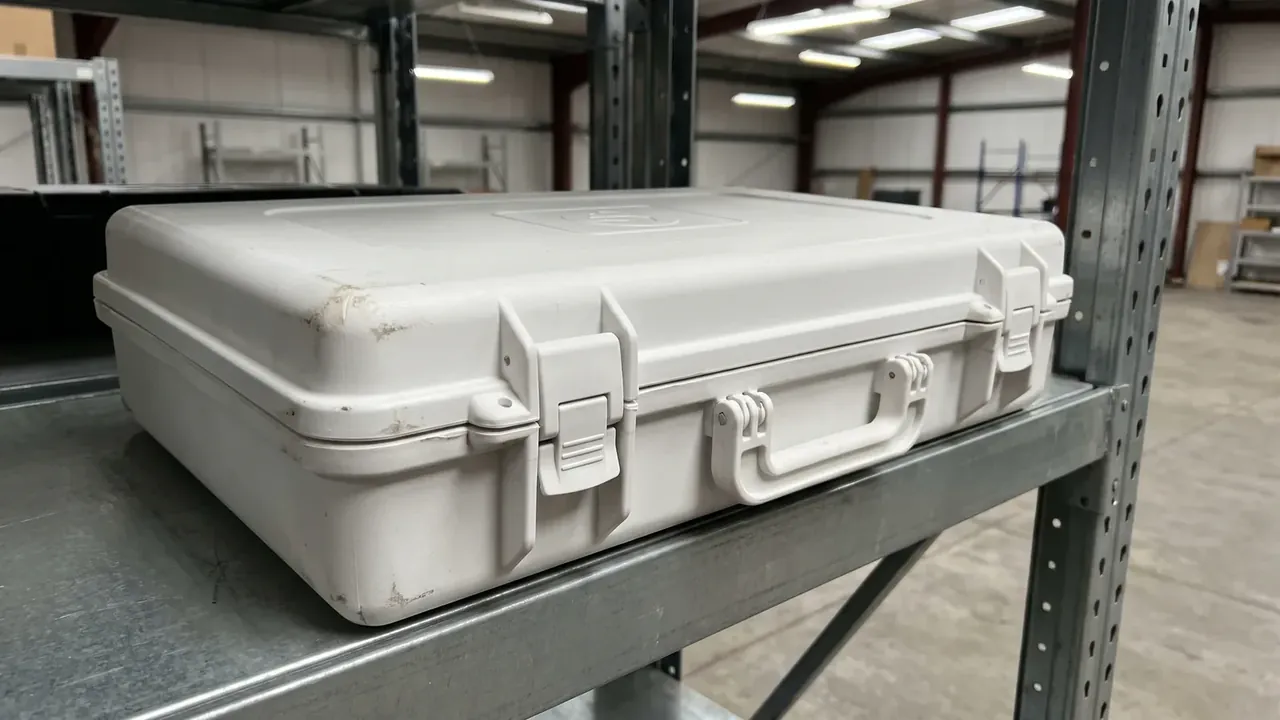
Below a 300 mm radius the problem turns geometric: a 25 mm code on that arc, seen 35 degrees off axis, compresses its far modules to 0.74 mm, 18% under nominal. Enlarge the footprint to 30 mm by 30 mm so the module returns to 1.1 mm.
| Lid location | Radius of curvature | Recommended footprint |
|---|---|---|
| Recessed lid panel | Over 800 mm | 26 mm |
| Lid shoulder transition | 300 mm to 800 mm | 30 mm |
| Side strip with lateral arc | Under 300 mm | 30 mm, matte film only |
| Corner radius zone | Under 100 mm | No code |
Keep 8 mm off every edge. Edges take the first impact and carry the fastest curvature change, so a code inside that band gets bent on one side and loses edge modules to every knock on the other.
Reading distance closes the calculation. A 0.9 mm module occupies 12.8 pixels at 150 mm, 4.8 at 400 mm and 2.7 at 700 mm, and under 3 pixels the finder pattern cannot form an edge. Size the qr label area for a scan at 400 mm, not for legibility at arm's length.
Conclusion
The qr label area reduces to three steps: pick the version from content length, add the 3.6 mm quiet zone to the 0.9 mm module grid for the true footprint, then let curvature and reading distance decide whether it grows to 30 mm. 26.1 mm is the floor at V1, 36.9 mm is the cost at V4, and the 10.8 mm between them is the price of longer content. Put those three steps on the structure drawing and measure the module once at sampling.
This article discusses container-side specifications and design implications only, and does not cover any handling, loading or use of the contents.
Related Reading
- Label and nameplate area rules for cases
- QR labels in case traceability
- Asset QR placement on cases
- QR versus RFID for case tracking
Related Products
- 8 Series — Gun Cases; Military Equipment Cases; Camera Equipment Cases; Drone Cases; Watch Cases; Knife Cases; First Aid Cases; Electronics Equipment Cases
- WL8-2812 PP Gun Case — model WL8-2812
- All protective cases and toolboxes: 7 series, 158 models