


Charger organizer boxes and cable organizer boxes are the most overlooked yet efficiency-critical basics in IT and communication field operations. The key conclusion up front: the core conflict in accessory storage is not "fitting everything in," but "finding it, tidying it, and carrying it out"a rationally partitioned box with cable-management channels can compress job-prep time from ten-odd minutes to one or two, and significantly reduce cable breakage and connector damage. For network, data-center, and emergency-communication teams, standardizing loose accessories into boxes is the first step toward field-operation discipline.
This article covers charger organizer boxes and cable organizer boxes and their extended familyhard-drive data boxes, server module boxes, network tester boxes, fiber splicer boxes, optical module transit boxes, base-station maintenance boxes, radio tester boxes, satellite phone boxes, walkie-talkie charging boxes, emergency comms boxes, data-center patrol boxes, portable printer boxes, scanner-gun equipment boxes, mobile payment terminal boxes, and barcode scanner boxessorting out materials, structure, protection, and selection so operations and procurement can build a unified accessory standard.
Table of Contents
- Definition and category boundaries of accessory boxes
- Why loose accessories must be box-managed
- Core materials and structural forms
- Protection rating and static requirements
- Key design of cable management
- Charger and cable organizer boxes
- Data and server class: hard-drive data and server module boxes
- Network and optical: network tester, fiber splicer, optical module transit boxes
- Base-station and wireless: base-station maintenance, radio tester, satellite phone, walkie-talkie charging boxes
- Emergency and data-center: emergency comms and data-center patrol boxes
- Retail and office terminals: portable printer, scanner-gun, mobile payment, barcode scanner boxes
- Size specifications and partition parameters
- Stacking, carry, and transport
- Custom liner and OEM/ODM
Definition and category boundaries of accessory boxes
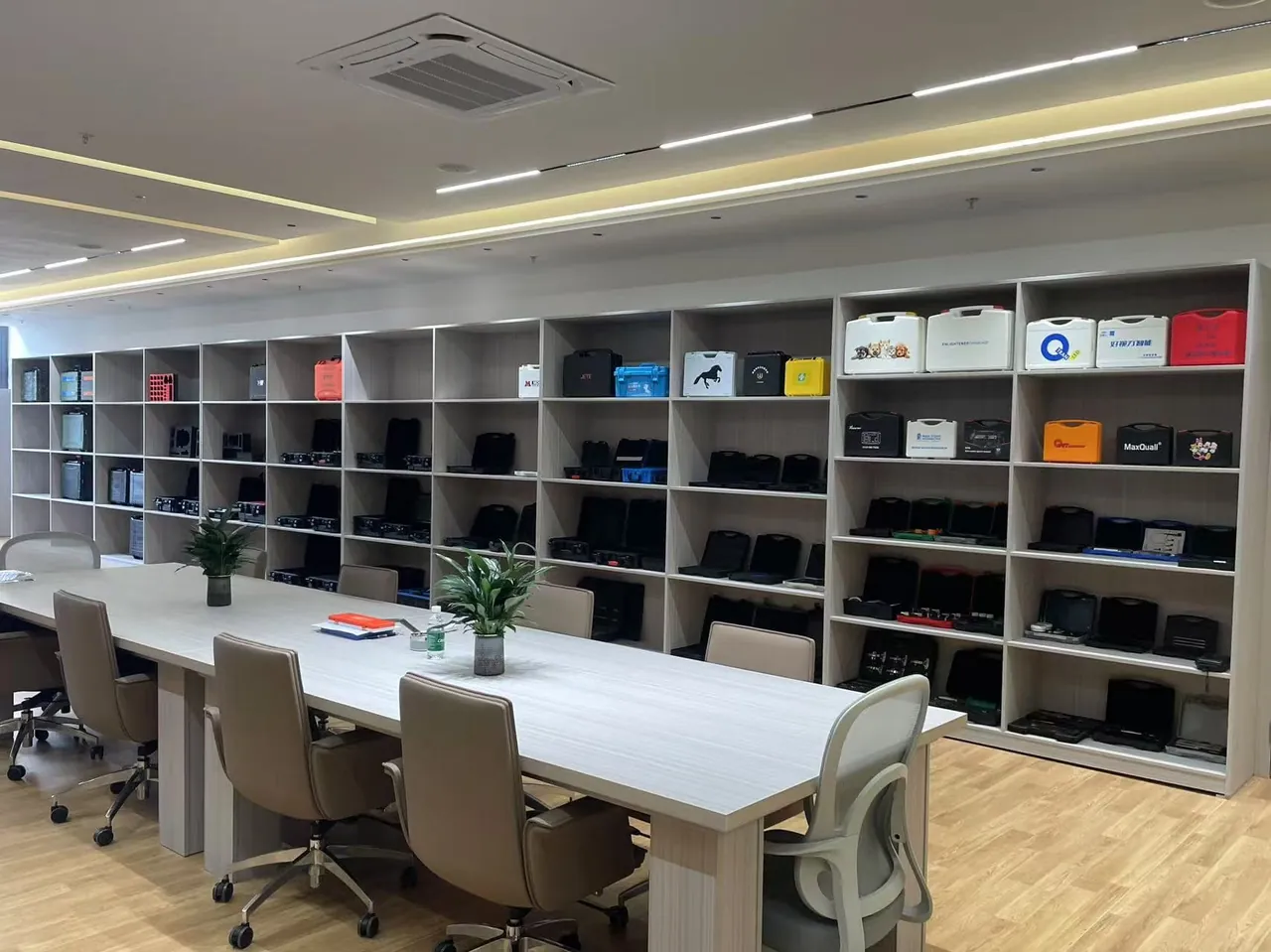
Accessory boxes broadly refer to protective containers for chargers, cables, small terminals, and test modules, distinct from cases holding large hosts or precision instruments. They are usually small, emphasizing high-density partitioning and quick access rather than heavy protection. But "light protection" is not "no standard": powered accessories still need anti-static treatment, and charging boxes with lithium cells still need heat dissipation and short-circuit isolation.
By category boundary, the series covered here ranges from pure storage (charger organizer box, cable organizer box) to semi-protective (hard-drive data box, optical module transit box) to operational (fiber splicer box, base-station maintenance box). They share the design language of "small volume, many partitions, quick access," but differ in liner and sealing focus.
Why loose accessories must be box-managed
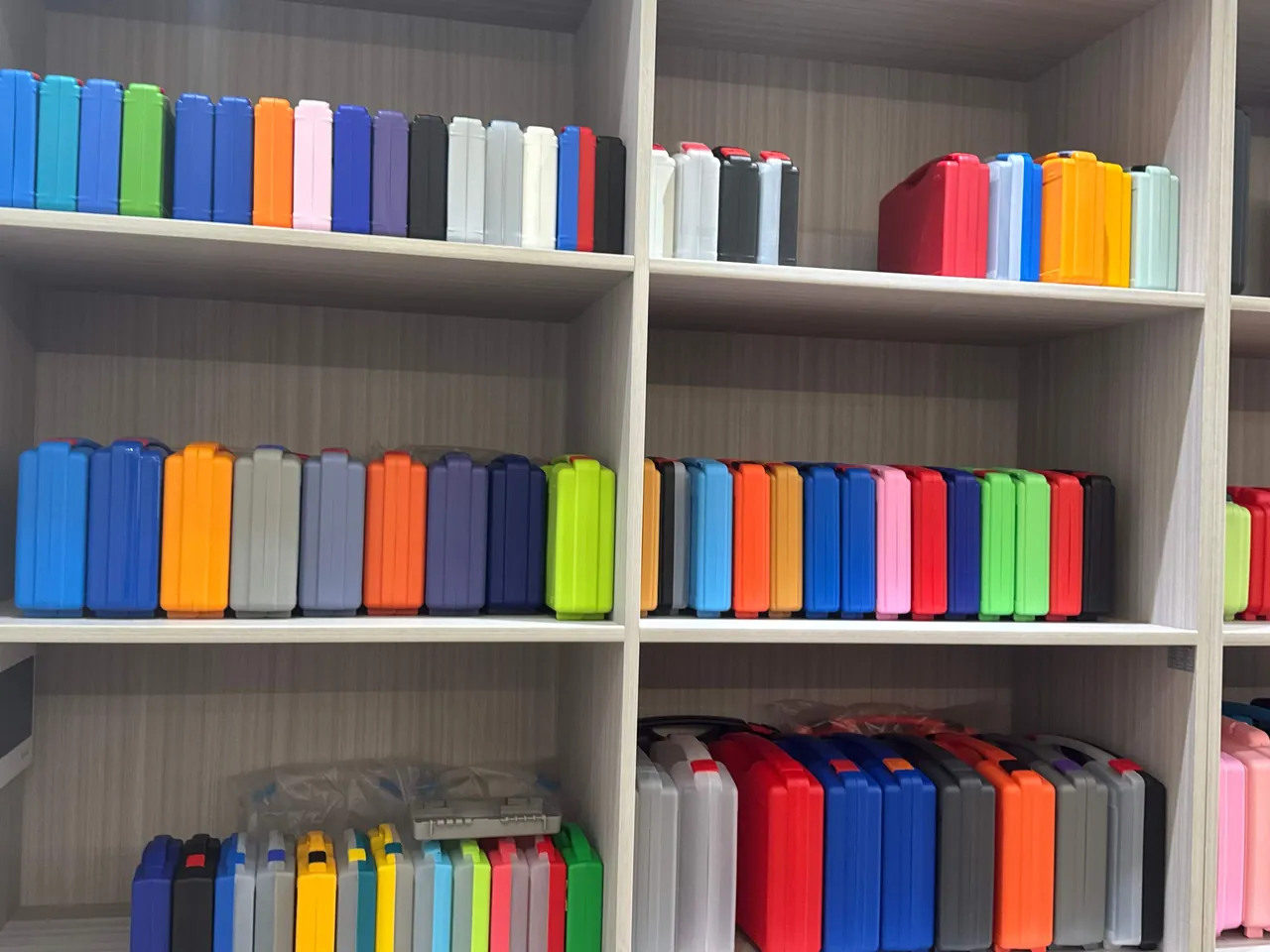
Loose accessories scattered around cause three problems. First, slow finding: a specific-interface cable mixed in a bag takes minutes to locate, accumulating to hours across batch dispatches. Second, high loss: repeated bending and connector knocks are a leading source of field failures. Third, messy accountability: shared accessories with no owner and no inventory vanish unnoticed. After box-management, each box maps to one accessory class or one job kit, making inventory, handover, and replenishment traceable.
For teams, standardized accessory boxes also lower training cost: a new hire reads the partitions and knows "where the cable is, where to charge." This is why data-center and telecom outsource teams put accessory boxes into SOP. The logic combines with the whole-case management in IT Carry Cases to form a "large case for devices, small box for accessories" hierarchy.
Core materials and structural forms
Mainstream accessory-box materials are modified PP, ABS, and transparent PC. PP is light and tough with low cost, suiting pure storage; ABS has good rigidity for shaped partitions; PC transparent parts aid visual identification. Structures commonly include flip-lid divider boxes, drawer parts boxes, die-cut foam boxes, and EVA divider boxes. Flip-lid dividers access fastest; die-cut foam protects best.
Latches and hinges should use fatigue-resistant engineering plastic or small stainless parts that do not break under frequent opening. Magnetic or snap partitions should hold under vibration. JUNZHIJIA can provide partition schemes die-cut to the accessory list and integrate multiple small items into one mother box, reducing the number of boxes carried on site.
Protection rating and static requirements
Most indoor accessory boxes need no high IP; IP40–IP54 suffices for dust and splash. But outdoor operational types (base-station maintenance box, emergency comms box) suggest IP65 against rain and dust. On static: hard drives, optical modules, server modules, and wireless test modules are ESD-sensitive, so liners and compartments should use anti-static material with a wrist-strap point or conductive foam.
For boxes with lithium cells (charger and walkie-talkie charging boxes), the body should reserve vents or breathable valves to avoid sealed heat buildup; batteries and chargers sit in separate compartments to prevent short-circuit ignition. Related selection can reference ESD ratings in Anti-Static Component Boxes & Electronic-Part Protection, writing static requirements into the spec.
Key design of cable management
Cable management is the soul of the accessory box. Good design includes independent channels to avoid tangling, length-based partitions, connector protectors against bending, and clear label areas. For the cable organizer box, use corrugated managers or divided reel positions to separate interfaces (Type-C, Lightning, Micro, network cable); for the charger organizer box, use upright plug slots with cables hanging free.
Field experience: 70% of cable life depends on storage. A box with cable structure can multiply average cable lifespan several times. For fragile fibers like patch cords and splice tails, use hard individual cells, not soft pouchessee the fiber splicer box section later.
Charger and cable organizer boxes
The charger organizer box and cable organizer box are the most basic entry models. The former fixes various charging heads with upright slots; the latter separates interface cables by compartment. They serve both office and field: on the desk for tidying, in the tool bag for carry. Choose transparent-lid styles for one-glance visibility, avoiding open-and-search each time.
Configure by "one person one box" or "one vehicle one box," labeling the owner on the lid. For teams mixing multi-brand heads, mark output specs (20 W, 65 W) by the slot to prevent wrong insertion. Though small, these basic boxes are the highest-frequency accessory units in IT Operations Toolkits.
Data and server class: hard-drive data and server module boxes
The hard-drive data box transports HDDs and SSDs; core needs are cushioning and anti-static: the disk fears drop impact and static breakdown. Use EVA die-cut cradles, one bay per disk, connector down to avoid force; anti-static shell with a desiccant slot, adding dry packs for long transit. The server module box stores memory, RAID cards, and power modules, emphasizing multi-compartment small-part fixation.
These boxes often enter data centers; align with room norms: lint-free shell, compliant labels, asset barcode attachable. For sensitive or high-value disks, add a seal slot and serial for traceable flow. Selection details combine with the anti-static scheme in Electronics Boxes & Component Boxes.
Network and optical: network tester, fiber splicer, optical module transit boxes
The network tester box holds red-light pens, optical power meters, and cable testers, requiring clear partitions without instruments pressing each other. The fiber splicer box has the highest protection demand: the splicer is precise and fragile, and its cutter, electrodes, and fiber fixtures fear shock, so the liner must be zero-clearance die-cut with a separate hard cell protecting the splice-tail reel. The optical module transit box targets small high-value SFP/QSFP modules, fixing each in anti-static foam cells to prevent mix and loss.
Their common trait is "precision + high value + fragility"; do not substitute ordinary parts boxes. Optical modules especially fear static and end-face contamination, so the transit box should have dust-cap positions and anti-static compartments. The network tester box, fiber splicer box, and optical module transit box should be unified into the telecom outsource standard library, pairing with the large Communication Equipment Cases & Network/Radio Tester Cases.
Base-station and wireless: base-station maintenance, radio tester, satellite phone, walkie-talkie charging boxes
The base-station maintenance box serves tower and equipment-room outsource, holding feeder tools, VSWR-meter accessories, label printers, and consumables, needing IP65 for open tower work. The radio tester box stores spectrum analyzers and feeder analyzers, emphasizing shock and static protection. The satellite phone box and walkie-talkie charging box are emergency-communication accessories: the former protects the satellite terminal and spares, the latter manages multiple radios and their charging bases with separated charging bays and ventilation.
Base and wireless boxes often ride vehicles; wheeled or shoulder-strap versions ease tower transfer. For powered accessories like satellite phone box and walkie-talkie charging box, the body needs short-circuit isolation and ventilation. A more complete emergency-communication kit references Satellite-Phone Cases & Walkie-Talkie Charging Cases, putting single boxes into a vehicle communication plan.
Emergency and data-center: emergency comms and data-center patrol boxes
The emergency comms box is the total accessory package for disaster or guarantee scenes, integrating satellite phone, walkie-talkie, lithium cells, and adapters, requiring "open to network, return to stable." The data-center patrol box serves daily room inspection, holding thermometers, patrol terminals, fiber pens, and temporary labels, emphasizing light weight and quick access. Both need a clear "devicebay" map to shorten emergency deployment.
For the data-center patrol box, link with the room asset system: lid carries patrol route and asset barcode, bays map to check items. The emergency comms box suggests "one box two sets" backup, primary and spare stored separately to avoid single-point failure. These two are extensions of IT Operations Toolkits in special scenes.
Retail and office terminals: portable printer, scanner-gun, mobile payment, barcode scanner boxes
Retail and office accessory boxes are small and fast-circulating. The portable printer box protects the mobile printer with paper roll and battery, fixing the paper bay against pressure; the scanner-gun equipment box and barcode scanner box hold the scan gun, base, and cable, emphasizing drop resistance and quick access; the mobile payment terminal box protects POS and scan devices, often with a charging compartment. Their common trait is "high-frequency handheld, easy drop, instant open."
Common in supermarkets, logistics, and cashier outsource, configure by station with asset labels for quick replacement. For barcode scanner box and scanner-gun equipment box, light EVA liner with gun-body notch and cable channel suffices. Related retail-terminal protection extends to POS-Terminal Protective Boxes & Barcode-Scanner Cases.
Size specifications and partition parameters
The table below lists typical specifications for common accessory boxes; specifics depend on actual accessories.
| Type | Outline (mm) | Suggested partition | Protection focus |
|---|---|---|---|
| --- | --- | --- | --- |
| Charger organizer box | 250×180×80 | Upright slots | Heat isolation |
| Cable organizer box | 280×200×90 | Divided reel | Anti-bend |
| Hard-drive data box | 220×160×70 | Per-disk cradle | Cushion+ESD |
| Fiber splicer box | 520×400×200 | Zero-clearance | Shock |
| Optical module transit box | 200×150×60 | Per-cell | ESD+dust |
| Base-station maintenance box | 450×320×180 | Multi-bay | IP65 |
List accessories before sizing to avoid "big box, messy load." For multi-module boxes, leave 20% empty for additions.
Stacking, carry, and transport
Accessory boxes usually ride with people; choose light handheld or shoulder styles; stack multiple with straps to avoid sliding. In transport, hard-cell accessories (optical modules, disks) get separate cushioning, not with heavy items. For lithium boxes, follow battery compliance, independently insulated, never with metal.
For cross-base transfer, gather small boxes into one mother box to reduce loss. For frequent air freight, calculate gross weight and IATA markings, rust-proof metal.
Custom liner and OEM/ODM
Bulk projects often need liners die-cut to the accessory list. JUNZHIJIA can output partition layouts and EVA die-cut schemes from the provided list and 3D data, and support OEM/ODM color, screen print, and seal-slot customization so accessory boxes unify with corporate visual and asset standards. For telecom outsource and data-center service, this "listlinerbox" integrated delivery significantly lowers field-assembly and training cost.
For customization, sample-verify the "devicebay" map before scaling; contract defines liner spare ratio and five-year supply to avoid later stockout. For multi-base teams, build a unified box library with cross-site interchangeable liners.
Common selection mistakes
Mistake one is looking only at volume not partition: a big box still loads messy and slow to find. Mistake two is soft pouches instead of hard cells for fiber and disks, damaging on one shock. Mistake three ignores static, leaving optical modules and disks bare in ordinary boxes to accumulate breakdown. Mistake four seals powered boxes with no ventilation, lithium heat risk. Mistake five mixes scenarios, taking indoor boxes to rainy base stations. The fix is writing "partition, protection, static, ventilation" into the spec and accepting by sample box.
Procurement and stocking advice
Procure by "basic boxes in stock, special boxes by project": keep charger organizer box, cable organizer box, hard-drive data box, scanner-gun equipment box, barcode scanner box, mobile payment terminal box, portable printer box in safety inventory; configure fiber splicer box, network tester box, optical module transit box, base-station maintenance box, radio tester box, satellite phone box, walkie-talkie charging box, emergency comms box, data-center patrol box by outsource and guarantee projects. Budget accessory boxes as tool assets, not consumables, on a five-year cycle.
Stock by crew and vehicle, label owner and asset code, inventory quarterly. For a wider matrix, combine Electronics Boxes & Component Boxes and Military Equipment Boxes & Tactical Gear Boxes as lateral references to build a full-scene accessory system.
The table below adds a size-and-load view to support quick comparison across charger and cable:
| Case tier | Typical size (mm) | Max load | Liner form | Typical use |
|---|---|---|---|---|
| --- | --- | --- | --- | --- |
| Handheld small | 300x220x120 | <= 8 kg | divider tray | meters & parts |
| Mid carry | 500x350x200 | <= 20 kg | CNC EVA | charger |
| Wheeled large | 800x500x350 | <= 45 kg | layered foam | cable |
| Air mother case | 1000x600x400 | <= 60 kg | adjustable | consolidated transit |

In real-world deployments, selecting Charger & Cable Organizer Boxes: Accessory Management should never reduce to picking a box by its outer dimensions. These units face combined hazards of dust, moisture, vibration and temperature swing, so dust/water protection, shock resistance and foam retention must be specified together to avoid costly rework after delivery.
From a supply-chain perspective, categories like charger cable organizer boxes accessory management protective case custom foam insert are better served by batch customization than scattered purchases. A volume program locks case color, silkscreen identity, custom-cut foam and seal slots, keeping equipment consistent across sites and cutting the cost of non-interchangeable spares.
Standards give the acceptance its backbone. Charger & Cable Organizer Boxes: Accessory Management should map to GB/T 4208 (IEC 60529) for the IP code, MIL-STD-810H for drop and vibration methods, and the ISTA transit series; where flammability matters, add the UL94 rating. Put the standard numbers in the contract so vendors cannot substitute claims for test reports.
On materials, modified PP, ABS and PC each trade off differently. PP brings toughness and low-temperature resistance for large cases; ABS is rigid but brittle when cold; PC excels in impact and clear windows. For charger cable organizer boxes accessory management protective case custom foam insert, a one-piece shell with neoprene or EPDM foam gasket tends to age more predictably under salt spray and UV.
Foam is what turns a generic case into a purpose-built one. CNC-cut EVA, layered foam and adjustable dividers let the device sit with zero clearance, so it cannot shift under shock or drop. For Charger & Cable Organizer Boxes: Accessory Management, custom foam also shortens field setup and re-stow time, and the investment is usually far below a single instrument repair.
Maintenance is routinely overlooked. After each use, wipe standing water and salt from the lid, and on coastal sites rinse the gasket with fresh water then air-dry; periodically check latches and hinges for looseness and the gasket for cracks or loss of spring. Stocking latches and gaskets at about 3% of case count contains sudden failures.
Test documentation is the lever for traceability. Ask the supplier to ship material statements, IP summaries, drop and vibration records, and batch numbers for gasket, latch and hinge. For charger cable organizer boxes accessory management protective case custom foam insert, also keep a seal-status template for handover and audit, closing the loop from order to operation.
The procurement spec should name five hard metrics: target IP grade, the matching shock standard, flammability grade, foam form and the identification/seal position. Make sample-case acceptance a contract milestone, lock process and materials on the sample, then inspect volume lots to the same standard with per-batch files to keep lot-to-lot variance in check.
On site, traceable seal status often matters more than the case itself. Build a one-case-one-record habit listing the device inventory, calibration validity and seal state, checked before every use. This supports availability and gives closed-loop evidence for audits and accountability, especially at scale.
JUNZHIJIA typically offers OEM/ODM and device-shaped foam tooling for Charger & Cable Organizer Boxes: Accessory Management, and can deliver per-batch test-file packages covering material flammability, sealing and drop, so buyers can call them up during supplier review and annual re-inspection.
Temperature swing is often underestimated. If Charger & Cable Organizer Boxes: Accessory Management is used in freezing or hot environments, confirm the material brittle-point and heat-deflection temperatures to avoid cold cracking or heat softening. For charger cable organizer boxes accessory management protective case custom foam insert, an insulated wall or phase-change buffer can keep the interior steadier during short transits.
Stacking and transit design affect field efficiency. The lid should carry anti-slip ribs or locating bosses so stacked cases will not slide sideways, and latches must not pop open under stacked load. For Charger & Cable Organizer Boxes: Accessory Management, calculate gross weight against the container limit and secure with straps or a cage to prevent latch fatigue from in-vehicle rolling.
ESD and EMC are implicit requirements for electronic equipment cases. For sensitive devices, use anti-static foam and consider a conductive layer or metallized film in the wall for shielding that lowers cross-talk with other radios. For charger cable organizer boxes accessory management protective case custom foam insert, apply these only as the device manual's ESD/EMC spec demands, avoiding blind over-build.
Cost should not be judged on unit price alone. A case below about 1% of the device value usually means cut materials and seals, and the long-run repair and downtime cost is higher. For Charger & Cable Organizer Boxes: Accessory Management, use a whole-life cost view that counts failure rate, spare availability and seal-verification time to find the option that is truly cheaper.
A smooth customization flow protects the lead time. The ideal path is: provide the device list and 3D data, the supplier returns a foam layout and a sample case, and volume runs start after seal verification. For Charger & Cable Organizer Boxes: Accessory Management, writing the foam tooling and sample milestone into the contract sharply reduces field rework and repeated changes.
A scenario-based grade map cuts selection guesswork. For charger cable organizer boxes accessory management protective case custom foam insert, build a table linking scenario to IP grade and liner form so apron, warehouse and channel environments each map to a case, letting front-line crews pick by the table and lowering the risk of water entry or calibration drift from misuse.
In real-world deployments, selecting Charger & Cable Organizer Boxes: Accessory Management should never reduce to picking a box by its outer dimensions. These units face combined hazards of dust, moisture, vibration and temperature swing, so dust/water protection, shock resistance and foam retention must be specified together to avoid costly rework after delivery.
From a supply-chain perspective, categories like charger cable organizer boxes accessory management protective case custom foam insert are better served by batch customization than scattered purchases. A volume program locks case color, silkscreen identity, custom-cut foam and seal slots, keeping equipment consistent across sites and cutting the cost of non-interchangeable spares.
Standards give the acceptance its backbone. Charger & Cable Organizer Boxes: Accessory Management should map to GB/T 4208 (IEC 60529) for the IP code, MIL-STD-810H for drop and vibration methods, and the ISTA transit series; where flammability matters, add the UL94 rating. Put the standard numbers in the contract so vendors cannot substitute claims for test reports.
On materials, modified PP, ABS and PC each trade off differently. PP brings toughness and low-temperature resistance for large cases; ABS is rigid but brittle when cold; PC excels in impact and clear windows. For charger cable organizer boxes accessory management protective case custom foam insert, a one-piece shell with neoprene or EPDM foam gasket tends to age more predictably under salt spray and UV.
Foam is what turns a generic case into a purpose-built one. CNC-cut EVA, layered foam and adjustable dividers let the device sit with zero clearance, so it cannot shift under shock or drop. For Charger & Cable Organizer Boxes: Accessory Management, custom foam also shortens field setup and re-stow time, and the investment is usually far below a single instrument repair.
Maintenance is routinely overlooked. After each use, wipe standing water and salt from the lid, and on coastal sites rinse the gasket with fresh water then air-dry; periodically check latches and hinges for looseness and the gasket for cracks or loss of spring. Stocking latches and gaskets at about 3% of case count contains sudden failures.
Test documentation is the lever for traceability. Ask the supplier to ship material statements, IP summaries, drop and vibration records, and batch numbers for gasket, latch and hinge. For charger cable organizer boxes accessory management protective case custom foam insert, also keep a seal-status template for handover and audit, closing the loop from order to operation.
The procurement spec should name five hard metrics: target IP grade, the matching shock standard, flammability grade, foam form and the identification/seal position. Make sample-case acceptance a contract milestone, lock process and materials on the sample, then inspect volume lots to the same standard with per-batch files to keep lot-to-lot variance in check.
On site, traceable seal status often matters more than the case itself. Build a one-case-one-record habit listing the device inventory, calibration validity and seal state, checked before every use. This supports availability and gives closed-loop evidence for audits and accountability, especially at scale.
JUNZHIJIA typically offers OEM/ODM and device-shaped foam tooling for Charger & Cable Organizer Boxes: Accessory Management, and can deliver per-batch test-file packages covering material flammability, sealing and drop, so buyers can call them up during supplier review and annual re-inspection.
Temperature swing is often underestimated. If Charger & Cable Organizer Boxes: Accessory Management is used in freezing or hot environments, confirm the material brittle-point and heat-deflection temperatures to avoid cold cracking or heat softening. For charger cable organizer boxes accessory management protective case custom foam insert, an insulated wall or phase-change buffer can keep the interior steadier during short transits.
Stacking and transit design affect field efficiency. The lid should carry anti-slip ribs or locating bosses so stacked cases will not slide sideways, and latches must not pop open under stacked load. For Charger & Cable Organizer Boxes: Accessory Management, calculate gross weight against the container limit and secure with straps or a cage to prevent latch fatigue from in-vehicle rolling.
ESD and EMC are implicit requirements for electronic equipment cases. For sensitive devices, use anti-static foam and consider a conductive layer or metallized film in the wall for shielding that lowers cross-talk with other radios. For charger cable organizer boxes accessory management protective case custom foam insert, apply these only as the device manual's ESD/EMC spec demands, avoiding blind over-build.
Cost should not be judged on unit price alone. A case below about 1% of the device value usually means cut materials and seals, and the long-run repair and downtime cost is higher. For Charger & Cable Organizer Boxes: Accessory Management, use a whole-life cost view that counts failure rate, spare availability and seal-verification time to find the option that is truly cheaper.
Frequently Asked Questions
Q: Is it necessary to buy charger and cable organizer boxes separately? A: Yes, they solve different problems. The charger organizer box fixes plugs with upright slots, solving "loose, lost, wrong-inserted heads"; the cable organizer box separates interfaces by compartment, solving "tangled cables, broken connectors, slow finding." Forcing them together, cable bodies press plugs and plugs hook cables, making access harder. Practically configure one each by "person" or "vehicle," labeling specs on the lid. For frequent dispatches, separate management compresses prep from ten-odd minutes to one or two and lowers cable loss, far below one cable scrap.
Q: Why must a hard-drive data box be anti-static? A: HDDs and SSDs have static-sensitive controllers and chips; static accumulated on the body or ordinary plastic box easily breaks the circuit on contact, causing data loss or disk damage. The hard-drive data box should use anti-static liner and shell with a wrist-strap point or conductive foam, adding desiccant for long transit. Each disk gets an independent EVA cradle, connector down, avoiding stacked force. For high-value or sensitive disks, add seal slot and serial for traceable flow. Reference ESD standards, writing the box's anti-static grade into the spec.
Q: Can a fiber splicer box be replaced by an ordinary parts box? A: No. The splicer is precise and fragile; its cutter, electrodes, and fiber fixtures fear shock. Ordinary parts boxes lack zero-clearance liner, and transit vibration offsets the blade and knocks electrodes, directly raising splice loss and lowering life. The fiber splicer box must use CNC die-cut liner so host and accessories "embed and stay," with a separate hard cell protecting the splice-tail reel against bend breakage. For outsource teams, unify this box into the telecom accessory library with network tester and optical module transit boxes, not temporary boxes.
Q: What is the key to an optical module transit box? A: Optical modules (SFP, QSFP) are small, valuable, and fear static and end-face contamination. The key is individual fixation, anti-static, and dust-proof: anti-static foam cells lock each module to prevent friction and loss; cells have dust-cap positions protecting fiber interfaces; the body uses anti-static material and avoids lint. In transit, never with metal heavy items; on arrival check count and end-face cleanliness before storage. This box is a high-frequency loss point for telecom outsource; standardization significantly lowers module scrap.
Q: What protection rating should a base-station maintenance box reach? A: Base outsource often climbs towers and enters rooms with open and dusty environments, suggesting IP65 to handle rain, sand, and tower wash. The box needs multi-bay partitions for feeder tools, VSWR accessories, label printers, and consumables, plus anti-static compartments for wireless test modules. If riding vehicles up towers, wheeled or shoulder versions save effort; powered accessories get vented separate bays. Write the specific IP and corresponding GB/T 4208 test summary into the contract to avoid unsupported "waterproof." The base-station maintenance box pairs with radio tester and satellite phone boxes in vehicle support.
Q: How does an emergency comms box achieve "open to network"? A: The key is standardizing the "devicebay" map. The emergency comms box places satellite phone, walkie-talkie, lithium cells, and adapters in fixed bays, printing deployment steps inside the lid, so opening fetches by diagram and returning stays stable. Suggest "one box two sets" backup, primary and spare stored separately against single-point failure; battery bays vented separately, adapters in small cells. For guarantee teams, regularly drill deployment so everyone knows the bays. It forms the emergency-communication accessory system with satellite phone and walkie-talkie charging boxes.
Q: What is the difference between data-center patrol and server module boxes? A: Different positioning. The data-center patrol box serves daily room inspection, holding thermometers, patrol terminals, fiber pens, and temporary labels, emphasizing light weight, quick access, and route fit, with bays per check item. The server module box transports memory, RAID cards, and power-module spares, emphasizing multi-compartment small-part fixation and anti-static, compliant lint-free entry with asset barcode. They pair: inspection finds a fault, server module box fetches the spare to replace. Both reference the electronics box anti-static scheme within room asset management.
Q: How to configure retail terminal boxes (printer, scan gun, POS)? A: By high-frequency station circulation. The portable printer box fixes the paper bay and battery against pressure for mobile printer and roll; the scanner-gun equipment box and barcode scanner box use light EVA notch for gun body and cable, emphasizing drop resistance and quick access; the mobile payment terminal box has a charging bay for POS and scan devices. Small and easy to drop, label by station for quick replacement and quarterly inventory. Finer retail-terminal protection references the POS box article, putting single boxes into cashier and logistics SOP.
Q: How to handle battery safety in powered accessory boxes? A: Boxes with lithium cells (charger organizer, walkie-talkie charging, satellite phone, emergency comms) must do three things: separate battery from charger or device to prevent short circuit; reserve vents or breathable valves to avoid sealed heat buildup; in transport, independently insulate batteries per lithium compliance, never with metal. Never ship undisclosed cells or leave sealed in sun. For multi-battery boxes, group by capacity with spec labels, regularly check swelling and loose bays, stop on finding issues.
Conclusion and Related Reading
The accessory-box series seems trivial but is the foundation of efficiency and asset safety in IT, telecom, and retail fields. Bringing charger organizer boxes, cable organizer boxes, hard-drive data boxes, server module boxes, network tester boxes, fiber splicer boxes, optical module transit boxes, base-station maintenance boxes, radio tester boxes, satellite phone boxes, walkie-talkie charging boxes, emergency comms boxes, data-center patrol boxes, portable printer boxes, scanner-gun equipment boxes, mobile payment terminal boxes, and barcode scanner boxes into a unified partition, protection, and static standard significantly lowers loss and shortens dispatch time. JUNZHIJIA's capability in list-based custom liners and OEM/ODM can serve as a cooperation path for bulk accessory-box projects.
Related Reading
- Airport Ground-Service Cases & Airport Security Inspection Cases
- Medical Equipment Boxes & Instrument Boxes
- Traffic-Enforcement Evidence Cases: Law-Enforcement Recording & Evidence Gear
Related Products
- 8 Series — Gun Cases; Military Equipment Cases; Camera Equipment Cases; Drone Cases; Watch Cases; Knife Cases; First Aid Cases; Electronics Equipment Cases
- WL8-2812 PP Gun Case — model WL8-2812
- All protective cases and toolboxes: 7 series, 158 models